

HomeWebsites for builders
Websites for builders
Websites for builders that win the right jobs
Homeowners planning an extension or loft conversion rarely hire the first builder they find. They compare finished projects, check memberships and read reviews over several weeks. We design builder websites that answer those questions honestly and make it easy to ask for a survey visit.
- Project case studies with real build stages
- Quote forms that capture scope, budget and timing
- Memberships and guarantees shown only where you hold them

01 / How homeowners choose
How homeowners choose a builder online
Building work is a big, slow decision. Someone planning a kitchen extension may visit your site several times before they call, often after speaking to an architect or getting planning drawings. Your website has to keep earning trust on each visit.
Searches are job-specific
People search for “single-storey extension builder”, “loft conversion company” or “garage conversion cost”, not just “builder”. One generic services page cannot answer all of those well.
Photos without context fall flat
A gallery of finished kitchens says little about how you run a site. Homeowners want to see groundworks, steels going in and how you protected the rest of the house.
Quote requests that waste your evenings
Open contact forms bring in jobs outside your area or budget. Without the right questions you end up driving to surveys that were never going to go ahead.
02 / Example design
Template preview: Kestrel Build Co
This is an example homepage for Kestrel Build Co., a fictional building firm we invented to show the structure a builder’s site could take: a strong project photo, a quote button and trust details above the fold.
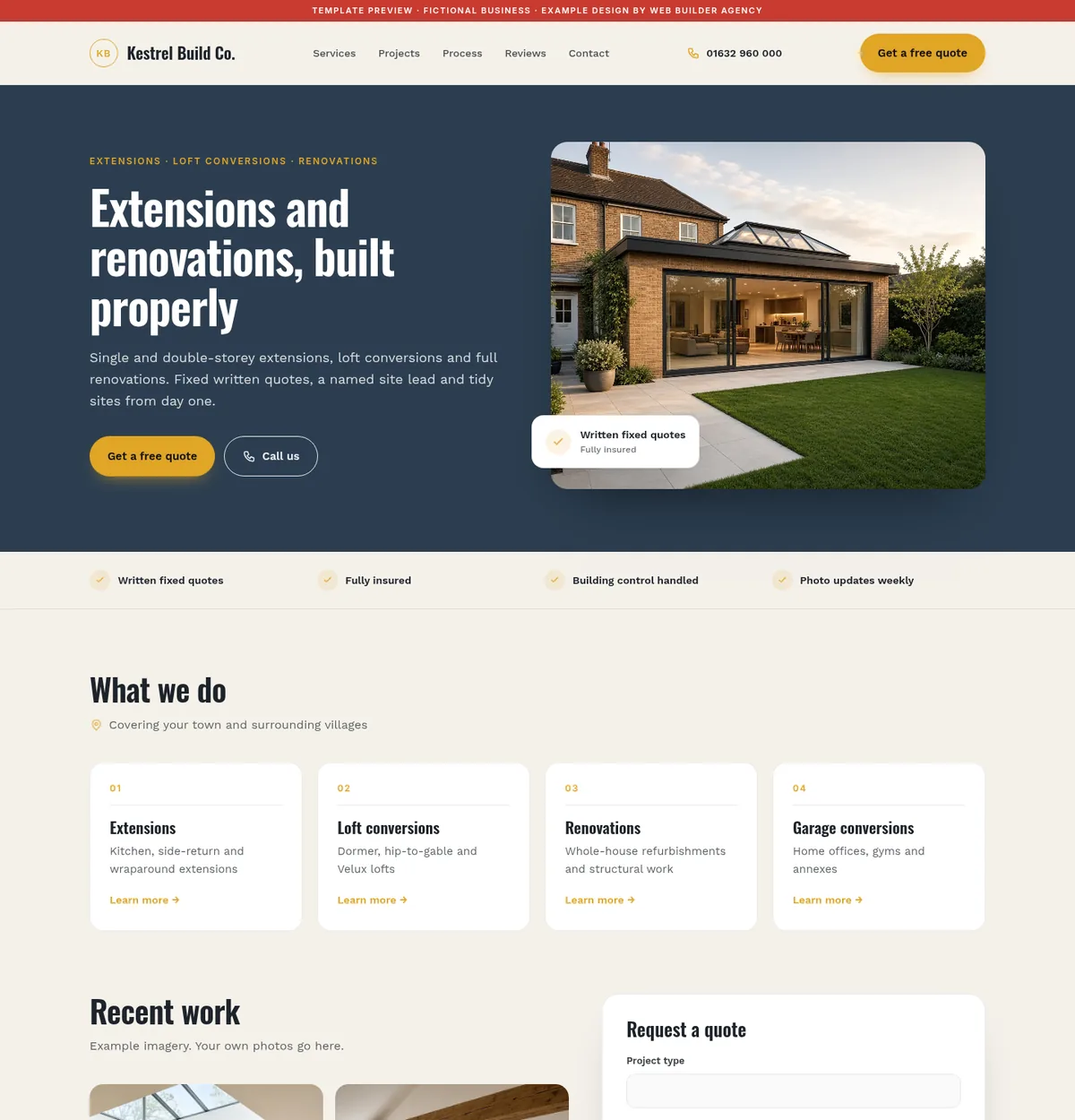
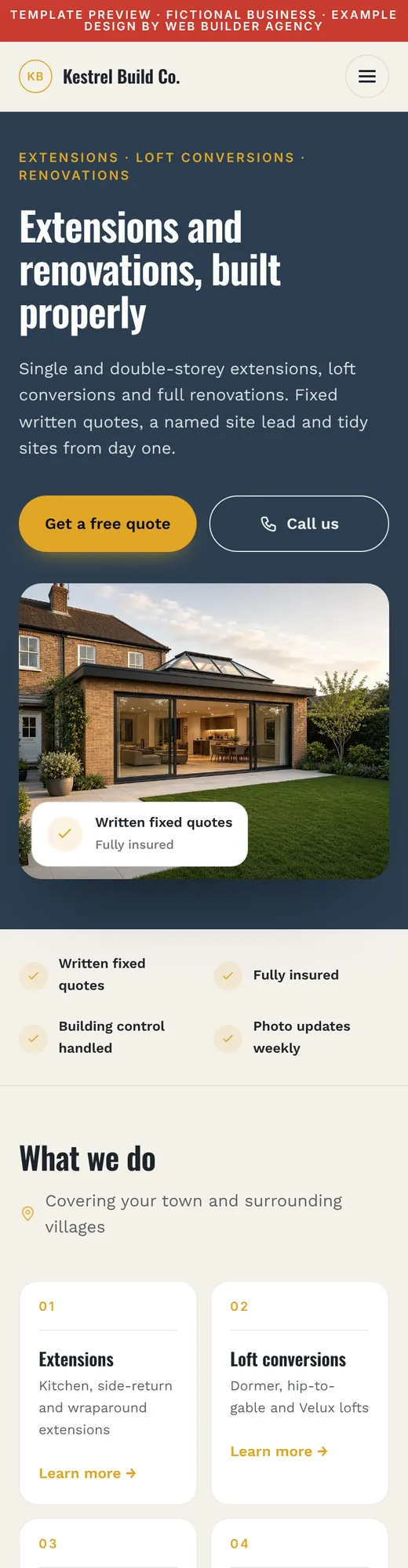
- Quote request and phone number in the first screen
- Featured extension project with a short brief
- Areas covered and guarantee details near the call to action
- All photos, reviews and prices shown are placeholders
03 / Must-have features
Features a building company website needs
We plan these before any visual design starts, because they decide whether the site brings in work you actually want.
Case studies, not just galleries
Each project gets a short write-up: the brief, the build stages, how long it took and what the client wanted. Photos run in order from strip-out to handover.
A quote form that qualifies
Questions on project type, postcode, rough budget band, whether drawings or planning are in place and a preferred start date, so you can prioritise serious enquiries.
One page per type of work
Extensions, loft conversions, garage conversions, renovations and new builds each get room to explain the process and the questions people ask.
Your process, step by step
Survey, quote, contract, start date, weekly updates and sign-off. Setting expectations in writing cuts down on awkward conversations mid-build.
Guarantees and insurance in one place
Public liability cover, any insurance-backed warranty and the memberships you actually hold, with links customers can check.
Areas you cover
A clear list of the towns you travel to, so people outside your patch do not fill in the form.
04 / Trust and compliance
Trust signals and rules to get right
General building work is not licensed in the way gas work is, so homeowners lean heavily on memberships, paperwork and reviews. Your site should show what you hold and nothing you do not.
- TrustMark is the Government Endorsed Quality scheme for work in and around the home. If you are registered, show it and link to your listing. About TrustMark
- Trade association logos, such as the Federation of Master Builders, may only be used by members, and the FMB pursues builders who claim membership falsely. We only add badges you can evidence. FMB guidance
- Explain how Building Regulations sign-off works on your jobs, through local authority building control or a private building control body, and that the homeowner receives a completion certificate at the end.
- If you agree contracts at a customer’s home, by phone or online, consumers usually have 14 days to cancel under the Consumer Contracts Regulations. A plain explanation on your site and in your paperwork avoids disputes. Citizens Advice
- Quote forms that ask for addresses, photos and budgets collect personal data, so they need a clear privacy notice under UK GDPR, and should only ask for what you need.
We build the space for this information; you confirm what applies to your business. We never add a logo or claim you cannot back up.
05 / Local SEO
Local SEO for builders
Most building firms work within a set radius, which suits a service-area Google Business Profile with your home address hidden.
- Choose the primary category that matches your core work, such as Builder, Construction company or General contractor, then add secondary categories for specialist work. Google’s list changes, so pick the closest current match.
- Post finished projects to your profile with a short description of the job and the town, in step with the case studies on your site.
- Ask every client for a review once the job is signed off, using the same simple link. Google’s policies do not allow incentives for reviews or only asking the clients you expect to be happy. Google review policy
- Link each service page to relevant case studies, so search engines and people see real evidence of the work.
Want ongoing help? See local SEO and our SEO services.
06 / Checklist
What a good builder’s website includes
Use this as a quick check against your current site.
- Click-to-call and a quote button visible on every phone screen
- Separate pages for each main type of building work
- At least three detailed project case studies with stage photos
- A qualifying quote form with budget band and start date
- Insurance, warranty and membership details you can evidence
- A plain explanation of your process, payment stages and cancellation rights
- The towns and villages you cover
- Genuine Google reviews and a link to leave one
- Fast-loading, properly compressed photos
07 / Cost
What a builder’s website typically costs
Our packages are the same for every sector. This is how they usually fit a building business.
Essential, from £1,000
A single page for a sole trader or small building firm: services, three featured projects, areas covered and a quote form.
Business, from £2,500
A multi-page site with a page per service and a case study section you can add to as jobs finish.
Bespoke, custom quote
For firms needing extras such as a project cost estimator, a client portal or several brands under one roof.
Final pricing is agreed in writing before work begins. Already have a website? Our £99 SEO audit shows what to fix first.
We bring the same care to a builder’s quote form as we do to the visual design. See our website design service or our work.
Questions
Builders: common website questions
Should I put prices on my builder’s website?
Exact prices are rarely possible, but ranges help. Many builders publish typical price bands for common jobs, such as a single-storey rear extension, with the factors that move the price up or down. It filters out enquiries that are far outside your range.
How many project photos do I need before launch?
Three well-documented projects are more useful than fifty unlabelled photos. Include a few shots from each stage and a short description of the brief, then add more as jobs finish.
Can the website show my TrustMark or FMB membership?
Yes, if you hold it. We add the logo with a link to your public listing so customers can check it. We do not display memberships, accreditations or guarantees that you cannot evidence.
Do I need a page for every town I work in?
No. Pages that only swap a town name help nobody. A clear list of the areas you cover, plus case studies that mention where the work was, is usually enough. A separate area page makes sense only when you have something genuinely local to say.
Can customers upload drawings or photos with their quote request?
Yes. We can add file uploads for plans, photos or planning documents, with size limits and a privacy notice explaining how the files are stored and when they are deleted.
A better website
starts with a conversation
Book a £99 SEO audit
Let's discuss your next website
Send us your business name, a brief description of what you'd like to achieve, and your preferred budget, and we'll be in touch soon.